Logi Options+
Logi Options+ allows you to customise your Logitech devices. For some reason Logitech also supports microphone mute notifications in their app, but these aren’t very useful for Mic Drop users.
If you notice a red microphone icon appearing on the top-right of your screen whenever you mute with Mic Drop:
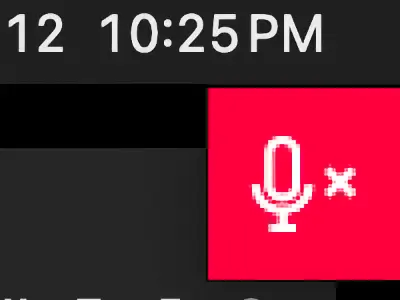
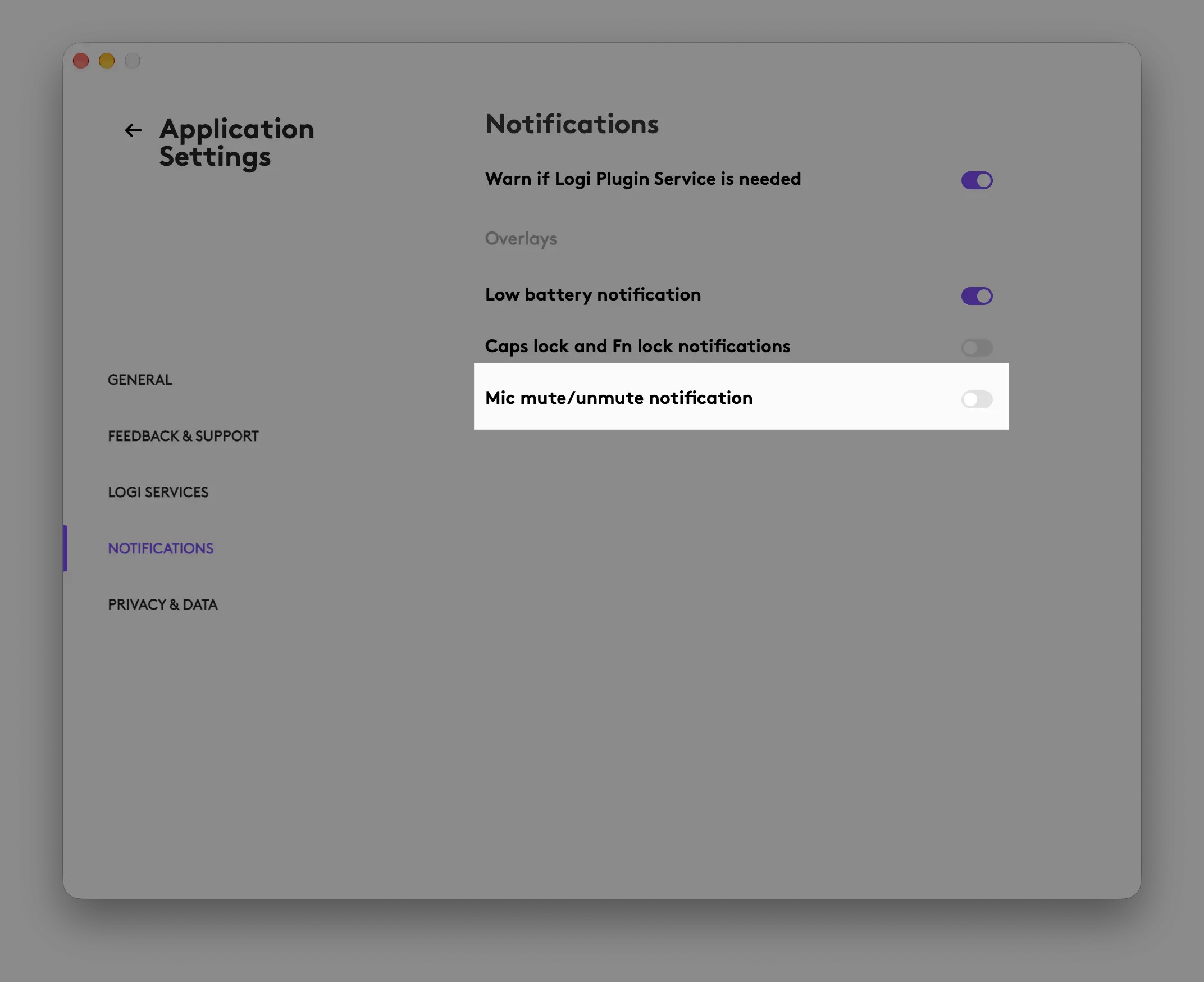
You can disable this overlay in Logi Options+ by going to Settings > Notifications > Mic mute/unmute notifications and turning it off:
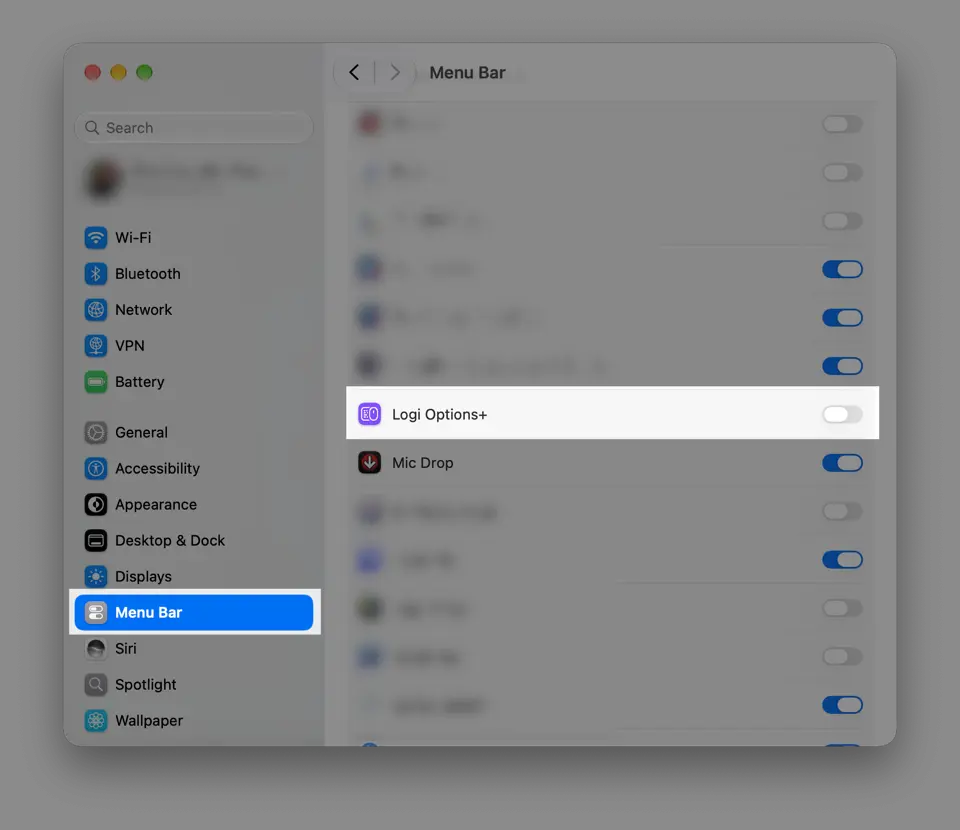
Logi Options+ may also put a microphone icon in your menu bar when you’re muted.

To disable this icon, hide Logi Options+ menu bar items entirely in System Settings > Menu Bar on your Mac:
Ensuring both of those settings are disabled will make sure that Mic Drop is the only microphone UI on your Mac.
Still have questions? We’re here to help! Contact us